

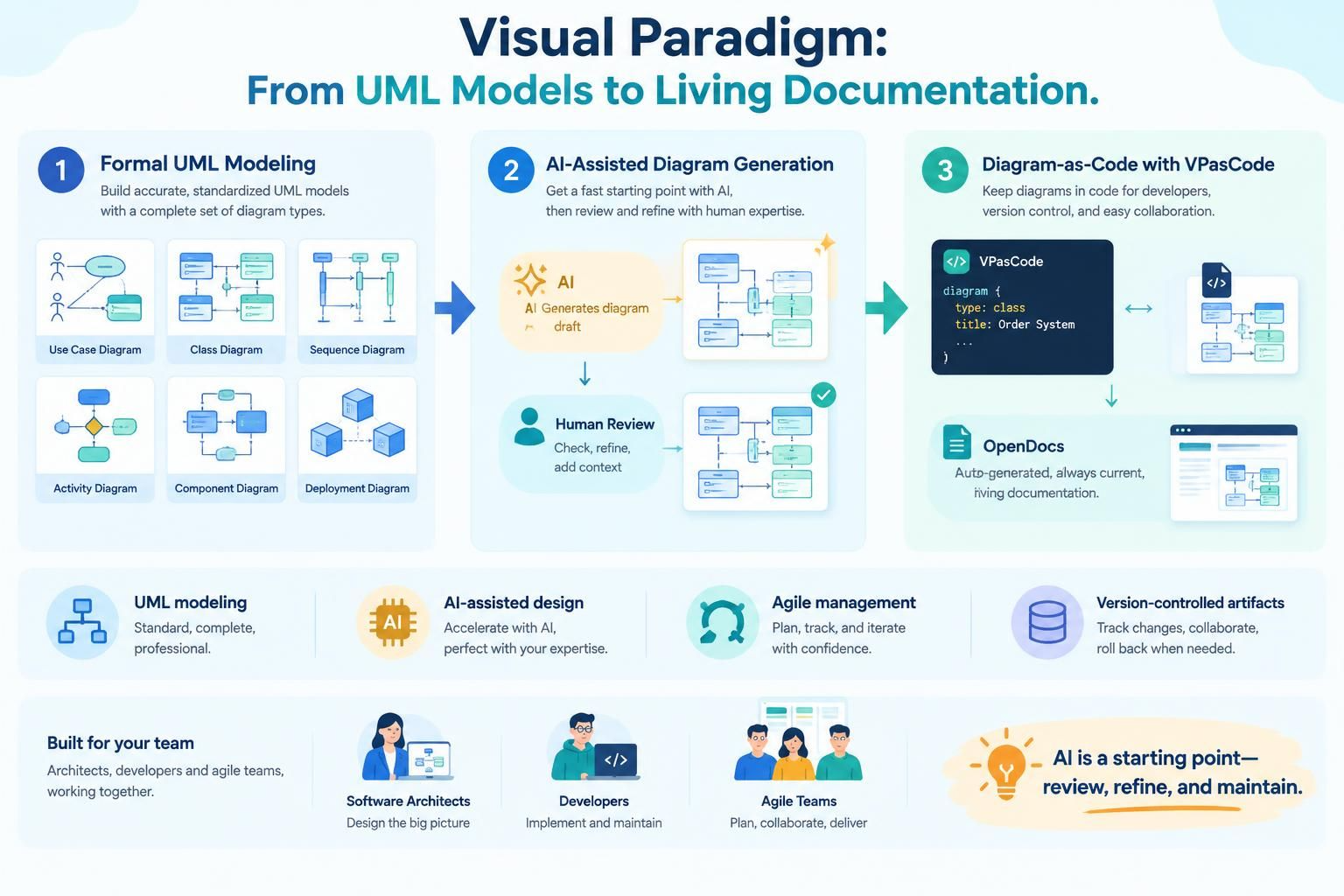
In the fast-paced world of software development, the traditional divide between “rigid” formal modeling and “agile” iterative development has long been a point of friction. Architects often struggle with the overhead of creating static diagrams that become obsolete before the code is written, while developers find that manual UML tools are too slow for sprint cycles. Visual Paradigm addresses this challenge by evolving from a traditional CASE tool into an integrated ecosystem that unifies formal UML standards, Diagram-as-Code (VPasCode), and Generative AI.
This tutorial explores how to leverage this platform to manage agile projects effectively. We will move away from the concept of “drawing pictures” and look at modeling as a version-controlled, AI-assisted engineering discipline that keeps your documentation synchronized with your source code.
1. The Shift from Static Drawings to Living Documentation
Traditionally, a UML model was a static artifact—a screenshot or a PDF export that required manual updates whenever the system changed. In an agile environment, this leads to “documentation debt,” where the diagrams no longer reflect the reality of the application.
Visual Paradigm introduces a paradigm shift through OpenDocs and its model repository. Instead of isolated images, diagrams are views into a shared, underlying model. When you update a class in your code or your diagram, the change propagates to all related views. This ensures that your documentation is “living”—it auto-updates as the project evolves.
2. How AI Transforms the Modeling Workflow
One of the most significant barriers to UML adoption is the initial effort required to create a model. Visual Paradigm’s AI capabilities, accessible via chatbots and integrated editors, drastically reduce this friction. Here is how AI-assisted modeling helps teams become more agile:
- Rapid Prototyping: Instead of starting with a blank canvas, architects can describe a system in plain English (e.g., “a user login sequence where credentials are validated against a database”). The AI generates the initial structure, allowing the team to visualize the architecture in seconds rather than hours.
- Requirements to Models: For Business Analysts, the AI text analysis tool helps extract candidate classes and use cases directly from requirement documents. This bridges the gap between natural language specifications and formal structural models.
- State Machine Generation: AI can identify lifecycle states and transitions from text descriptions, automatically generating complex state machines that would otherwise be tedious to draw manually.
Pro Tip: Treat AI-generated diagrams as an 80% draft. While the structure is sound, human oversight is essential to ensure domain-specific nuances and naming conventions are correct.
3. Diagram-as-Code: The Developer’s Bridge
For developers who prefer working in text editors and Git repositories, Visual Paradigm offers VPasCode. This feature allows teams to write diagrams using code (such as PlantUML or Mermaid) rather than dragging and dropping shapes.
This approach offers several benefits for agile teams:
- Version Control: Diagrams become text files that can be committed to Git, allowing for diff reviews and rollback capabilities.
- Collaboration: Developers can contribute to the system architecture documentation without needing deep knowledge of the GUI tool.
- Validation: The tool provides real-time syntax checking and AI-assisted code correction, making debugging diagram logic as easy as debugging application code.
4. Managing Agile Projects with Unified Modeling
Visual Paradigm is not just a modeling tool; it is an agile management platform. It integrates Scrum backlogs, user story mapping, and burndown charts directly with your UML models. This allows teams to:
- Link Requirements to Models: Traceability is maintained between user stories and the underlying architectural components.
- Visualize Processes: With support for BPMN and SysML, teams can model business processes and system behaviors alongside standard software architecture diagrams.
- Round-Trip Engineering: The tool supports generating source code from UML models and reverse-engineering existing code back into diagrams. This ensures that the design and the implementation remain perfectly aligned.
5. Overcoming the “Too Hard to Learn” Myth
A common critique of UML tools is their steep learning curve and complexity. Visual Paradigm mitigates this by offering a Community Edition that includes all diagram types, making it accessible for students and small teams. Furthermore, the Resource Catalog suggests contextually appropriate shapes, and the built-in rule checker flags invalid constructs as you work, guiding users toward compliance with UML standards without requiring them to memorize every rule.
By combining AI assistance, code-based editing, and living documentation, Visual Paradigm transforms UML from a “heavy” requirement into a lightweight, agile-enabling asset.