



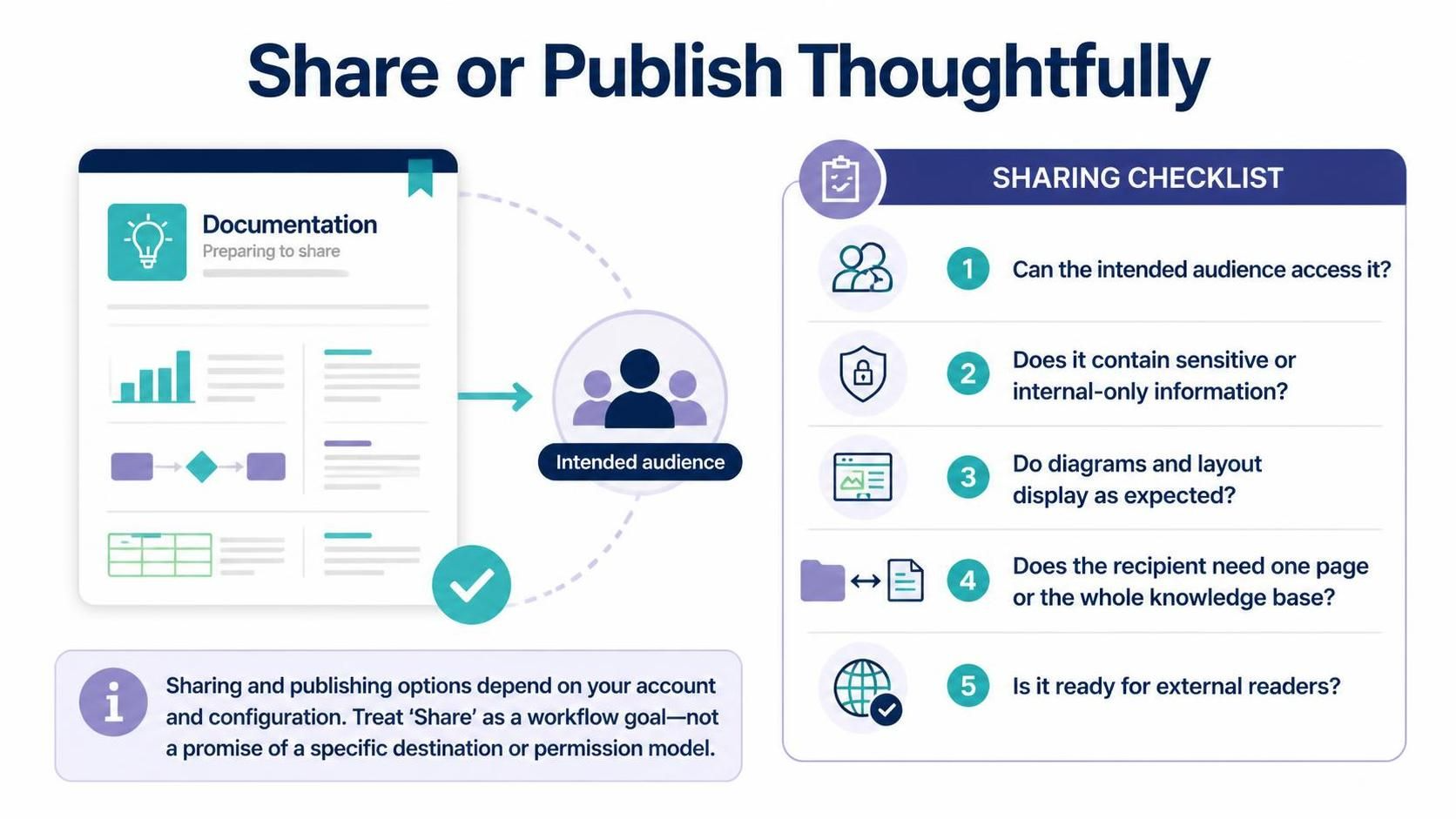
In the realm of business process modeling, the creation of a diagram is merely the beginning of its lifecycle. Whether you are architecting a complex banking transaction flow or mapping a simple customer support ticket system, the value of your work lies in its dissemination. However, sharing a diagram is not a binary action of “on” or “off”; it is a nuanced workflow involving security, audience targeting, and technical compatibility. This tutorial explores the strategic “Share or Publish” workflow, specifically within the context of Visual Paradigm and AI-enhanced modeling tools.
The Philosophy of Thoughtful Distribution
When you finalize a model—say, a Level 1 Data Flow Diagram or a BPMN 2.0 sequence diagram—you are essentially creating a knowledge asset. The transition from “internal draft” to “published artifact” requires a rigorous checklist. Treating the “Share” action as a final workflow goal ensures that your documentation remains accurate, secure, and accessible to the right stakeholders.
The core principle of this workflow is context-aware publishing. You are not just sending a file; you are curating information for a specific consumption experience. This involves verifying technical rendering, managing data sensitivity, and understanding the scope of the knowledge base.
The 5-Step Publishing Checklist
Before clicking the “Publish” or “Share” button in your modeling tool, you must validate your work against five critical dimensions. This checklist serves as a gatekeeper to prevent common errors in technical communication.
1. Audience Accessibility
Before distribution, you must verify that the intended audience has the necessary permissions. In enterprise environments, this often involves checking user roles. Are you sharing with a developer who has read-write access, or a stakeholder who only needs read-only access? If the recipient cannot access the underlying repository or workspace, the diagram remains invisible, regardless of the link sent.
2. Information Sensitivity
Process models often contain intellectual property or internal logic. A “Bank Transfer Process” diagram, for instance, might reveal the exact authentication steps used by a financial institution. You must audit the content to ensure it does not include sensitive variables, internal-only identifiers, or proprietary algorithms that should not leave the organization. Always ask: Is this safe for the intended recipient?
3. Rendering and Layout Integrity
One of the most common frustrations in technical sharing is the “broken layout” issue. When a diagram is published to a web viewer or exported as a PDF, styles can shift. You must verify that:
- Diagrams display as expected without overlapping elements.
- Custom icons and AI-generated visualizations render correctly.
- The aspect ratio is preserved for mobile or desktop viewers.
4. Scope Definition: Page vs. Knowledge Base
Do not overwhelm your audience with an entire repository unless necessary. Determine the scope of the delivery. Does the recipient need a single, focused page (e.g., the “Order Fulfillment” flow) or the whole knowledge base (e.g., the entire “Supply Chain” suite)? Sharing the wrong scope can lead to information overload or confusion about where a specific process fits in the larger architecture.
5. External Readiness
If the diagram is destined for external readers—clients, partners, or the general public—the content must be sanitized and professional. This step involves ensuring that the language used is industry-standard (e.g., adhering to BPMN 2.0 standards) and that no internal jargon or confidential notes are visible. It is the final polish before the model meets the real world.
Configuration and Workflow Goals
It is crucial to understand that the “Share” feature in tools like Visual Paradigm is not a magic wand. The exact sharing and publishing options depend heavily on your account configuration, cloud permissions, and the specific version of the software you are using. The “Share” stage should be treated as a workflow goal—a target state where your model is ready for consumption—rather than a guarantee of a specific destination.
For example, publishing a model to a private workspace might be instant, but publishing to a public knowledge base might require administrative approval. Always verify the destination permissions before assuming the model is live.
Technical Implementation: Exporting for the Web
For advanced users, the sharing process often involves exporting the model into a specific format. Whether you are using a code-based approach or the visual GUI, ensuring the output is web-ready is key.
Here is a conceptual example of how a developer might structure the export logic for a BPMN process, ensuring that the layout is preserved:
// Pseudocode for validating a BPMN export
function shareProcess(processId, audienceType) {

    // Step 1: Check Audience Permissions
    if (!canAccess(audienceType, processId)) {
        return "Error: Access Denied";
    }

    // Step 2: Scan for Sensitive Data
    if (containsSensitiveData(processId)) {
        if (audienceType === "External") {
            return "Error: Sensitive Data Detected";
        }
        // Apply redaction for internal share
        redactInternalData(processId);
    }

    // Step 3: Validate Layout
    if (!verifyLayoutIntegrity(processId)) {
        autoAdjustLayout(processId);
    }

    // Step 4: Publish
    return publishToWeb(processId, audienceType);
}
Conclusion
Sharing or publishing thoughtfully is not just a technical task; it is a communication strategy. By adhering to the checklist of accessibility, sensitivity, layout, scope, and readiness, you ensure that your BPMN models serve their intended purpose effectively. Whether you are using AI to generate the initial flow or manually refining the sequence, the final step of sharing must be handled with the same precision as the modeling itself.